Multiple office and/or field service remote access
Whether in a branch office or out on the road, AyaNova's remote access options make sure everyone is always accessing the same live data.
No more wondering if you have the latest information and no more having to run back to the main office to upload your billable information.
Optional Web Browser Interface WBI
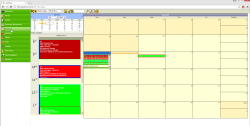
With the optional add-on WBI (web browser interface) the remote field service technician and/or user in another office can use a standard web browser and internet connection to create and edit existing data, as well as view their schedule and print reports. Your customers can also use WBI to request service and more.
Watch the WBI video overview and try out the online demo!
Optional Mobile Browser Inteface MBI
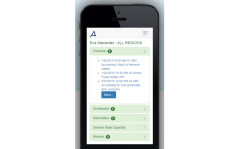
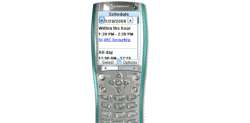
With the optional MBI (mobile browser interface) the remote field service technician can use a mobile hand held device with internet access and browser to view their schedule, update their status, view client contact information and enter in details of service provided.
Quickly try the online demo of MBI!
AyaNova Data Portal remote access connection
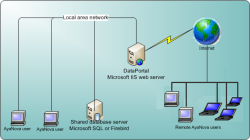
With the built-in Data Portal, remote users in branch offices or telecommuters connecting through VPN or fast internet connection can run the exact same full AyaNova program just as those at the main office and have access to all of the same features.
The Data Portal feature is provided at no extra cost.
The Data Portal connection has been optimized for slower than local area network connection speeds such as via a VPN
The Data Portal provides security and relative speed over a slower connection while still being able to use the full AyaNova program.
Refer to the AyaNova Online Help section on setup and configuration for the remote access AyaNova Data Portal
Want to quickly test connecting to a trial AyaNova database through a data portal?
- Download and install the latest AyaNova 7 setup file
- Replace the existing config.txt in your AyaNova program folder with this:
Right-click and Save As the file called config.txt into your C:\Program Files\Ground Zero Tech-Works Inc\AyaNova folder)
config.txt file for sample AyaNova 7 database connecting through data portal
OR edit your existing config.txt file using NotePad with the following:
Connecting through the data portal remote access is ideal for branch offices, employees at home and field service personnel that needs access to all of the full AyaNova program's features.