"To me the impressive thing about it is that it can be used by such a wide range of businesses. Whether you're a plumber, have a lawn care business, or do computer repair work, AyaNova can help you to keep your business on track."
Our desktop AyaNova interface provides full access to all of AyaNova's service management features for your Windows desktop/laptop.
This AyaNova desktop application is for your day to day use in your office such as scheduling and service documentation, as well as for administrative functions including creating users and customizing report templates.
Check out AyaNova's many features listed below!
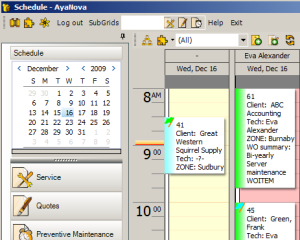
Familiar Outlook style schedule screen which you can view, compare and edit by easy drag and drop any schedule date range you need whether single day, 5 days, week, month etc
Assign schedules based on dispatch zone, skills, certificates or other settings
Block out unavailable time (vacations, holidays, personal appointments etc) and set reminders.
Customize what data from your workorders shows on your Schedule screen.
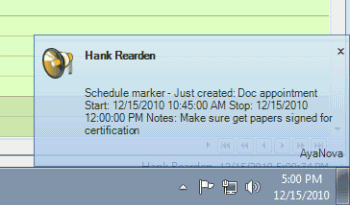
Receive notifications via internal AyaNova memo, AyaNova popup, external email and/or text message.
Automatically notify your technicians of events such as upcoming scheduled items, received parts, changes in status, through email, SMS or internal memo notifications
Automatically notify dispatchers/management of events such as overdue service, expiring contracts, depleted banked service, changed in workorder status and overdue outside service.
Automatically notify your clients via email of events such as upcoming scheduled jobs, changes in status, completed work, and follow ups through email notifications, incluiding billing attachments.
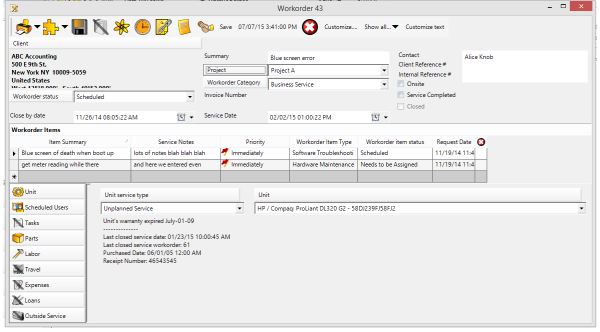
Record details in preparation of service and about service provided including status at each stage, priority, service to be performed, scheduled users, tasks to perform, billable items (including labor, parts, travel, misc expenses, outside service, and loan rentals).
Support multi-activity tickets for ongoing projects and complex service work orders.
Identify specific equipment being serviced in each workorder item, tracking service for the client as a whole, as well as for each individual unit being serviced.
View previous service history easily with AyaNova service management software.
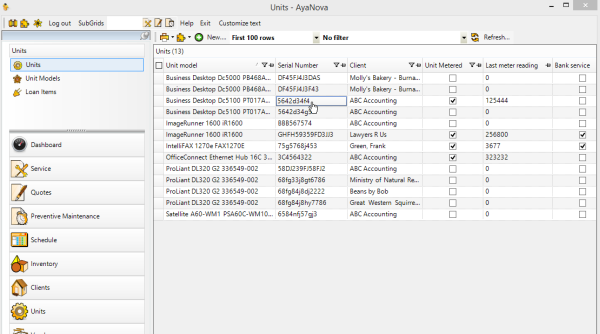
Get to the root of problems by viewing previous service history for an individual asset/unit including labor provided, parts used, warranty coverage information, meter readings, banked service, outside service performed (RMA, shipping, etc) and more.
Rather than having to remind yourself to schedule recurring service and some times accidentally forgetting and losing out on that revenue, or the non-service resulting in a catastrophe - just create a single Preventive Maintenance order and let AyaNova automatically generate the service workorders from it as needed!
Whether in a branch office or out on the road, AyaNova's remote access options make sure everyone is always accessing the same live data.
No more wondering if you have the latest information and status and no more having to run back to the main office to upload billable information by staff that are out on in the field or staff in other offices or staff even working from home!
Three remote access options for quick online access. Remote users just enter in your URL in their device's web browser (i.e. desktop, laptop, tablet, mobile)
As well as our no charge Data Portal which is specifically optimized for internet speeds so that remote users can run the full featured desktop program when away from the office but need access to the full desktop features.
Via RI or via WBI, your clients can request service online, view their requests and their workorders as you wish!
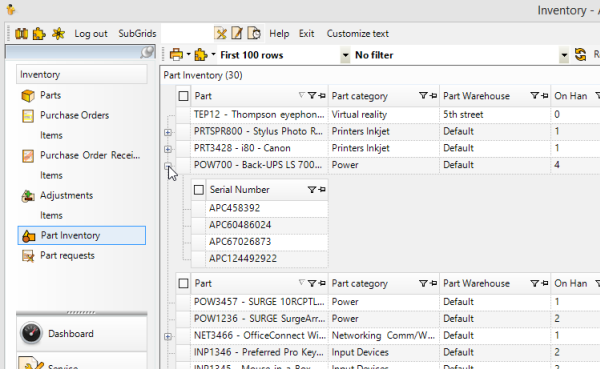
Maintain an accurate count of inventory − too much in stock ties up collateral, too little results in customers waiting and service unable to be performed and possibly lost sales.
Track parts used in service, to be ordered, or on order via purchase order.
Assign inventory and track inventory flow with multiple warehouses and serialized parts.
Purchase order tracking to monitor all inventory ordered and received, that is also tied to part requests in workorders so you always know what workorder needs what parts.
Each user requires a username and password to log in and is a member of a security group that dictates what level of rights available for each AyaNova feature.
You can create new security groups and customize what security rights are available.
Every data record maintains the user who created and the user who last modified for audit management control.
In addition to four sample locales in English, Spanish, French and German, AyaNova's localization feature let's you relabel for your service terminology needs. For example, if your service is property management, what is sample labeled as Clients can be relabeled as "Apartments" - whatever makes the most sense for your type of service!
Customizable entry screens to add custom fields, localize labels, and workorder entry form customizations for fields and/or for subsections.
Customize what data you track with your service workorders - categories, statuses, priorities, service types, to name just a few.
Customize the workorder entry form for what features and fields you need.
Customize existing report templates as well as create new!
Set up AyaNova with the configuration that works for you!
We provide step by step instructions for all configurations that anyone can follow.
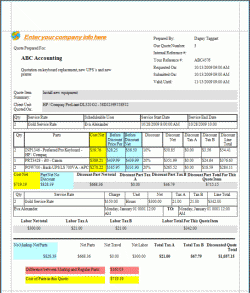
Your AyaNova database comes with over 100 sample report templates - use as is, customize further, and/or create your own!
View customizable productivity reports on technician's billable hours, response times, and much more.
AyaNova's internal report template designer gives you full control over what shows and does not show in your reports.
All data entered into your AyaNova database is indexed on the fly and available to be searched immediately allowing for quick look up of previous entered information such as how a problem was resolved - saving time for your technicians and allowing them to solve issues faster.
Even when out in the service field using RI or WBI, quickly find the data you need!
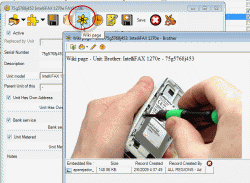
Freely create and edit additional documentation that includes hyperlinks and embedded images.
Attach images and files (.doc, .xls, .pdf, .jpg, .gif, etc.) that are accessible by all users.
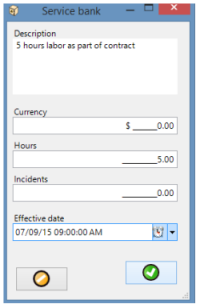
Apply pre-paid dollar/incident/hour amounts against service workorder's billable labor and travel to maintain an exact logged balance.
Easily access contract/billing information to determine required level of service.
Identify special service rates, special travel rates, special discounts on parts via contracts to have AyaNova apply for you so you don't have to remember everything yourself.
Generate customizable invoices from billable items entered in service workorders easily and quickly.
Obtain client's signature when out in the field with the remote access options.
Increase revenue by providing the ability for your customers to request service via just a web browser using WBI(web browser interface)and view their invoices online.
Generate detailed financial reports for each customer.
Synchronize your billable details with either the optional add-on QuickBooks interface QBI or the optional add-on Peachtree/Sage 50 interface PTI
Get paid faster by notifying your clients via email attachment detailing service and charges.
Unlike other service management software, you only need to purchase licenses for your schedulable resources such as technicians or engineers - who/what would actually be scheduled in AyaNova.
This means you don't need to purchase licenses for non-scheduled managers, sales people, dispatchers etc.
The AyaNova program can be run on as many computers as you need connecting all at the same time to the same data. No difference in license price whether you network your AyaNova database or not.
Your license includes support, updates and upgrades for one year with easy and affordable subscription renewals.
Import/export of clients, parts, and units
Track creation, submission and acceptance of quotes. Generate a workorder from a quote without having to re-enter.
Create Preventive Maintenance orders which will automatically generate service workorders - enter once, and let AyaNova remember for you!
Identify common tasks performed in service for selection rather than having to re-enter. And track status of these tasks performed.
Utilize Regions to restrict user's access to data based on their region assigned to while allowing management and dispatching to view all data.
Group data via Projects, Workorder Categores, Workorder Statuses, Workorder Types, Priorties, for management and reporting purposes.
Track loan / rental items, including charges.
Send and receive internal memos
 AyaNova