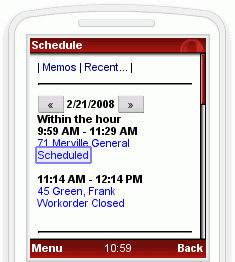
No installation by web browser users. Your technician (scheduleable resource) would just enter their MBI URL and log in with their AyaNova login name and password.
Use a regular internet browser (a minimum of IE 9.0+, FireFox 3.0+, Safari 3.0+, Chrome 3.0+, or Opera 10.0+) on any operating system or device.
Your technicians can easily check their schedule, expected start and stop times scheduled for, client information, and present status of that workorder.
View client contact information including address, email, and phone numbers, and notes.
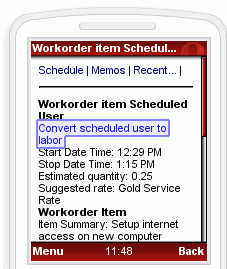
Enter labor details while on the road so you don't forget details ad billable amounts.
Receive and reply to memos sent from other AyaNova users - so always up to date on what is happening.
Update workorder statuses so that those back at the office know what is occurring.
Obtain customer signature for work performed
MBI is secure - remote users can only access data if they log in with a valid username and password.
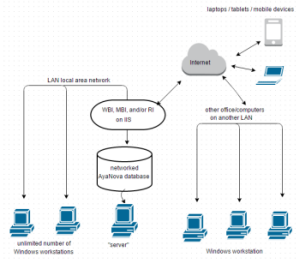
The MBI web application is installed on a computer running IIS (Microsoft Internet Information Server) 5 or higher within your local area network. This computer could be also where your AyaNova database is networked from too.
IIS is used as a "bridge" to provide pre-formatted web pages to the remote user's web browser transferring data called from the AyaNova database to display on the users web page, and receiving data entered by the user via their web page.
The remote user just needs a web browser, an Internet connection, the URL of your MBI login (your external IP address and port number for the remote access web server), and a valid AyaNova remote username and password for your database.
We provide step by step instructions - no special computer knowledge needed.
 AyaNova