
If you have a version of Peachtree or Sage 50 not listed here, contact us letting us know what your specific version and year is, so we can see what we can do!
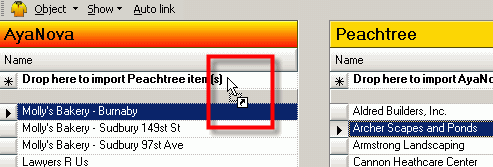
Its just a easy drag and drop to import!
Import clients, vendors, rates and parts from Peachtree / US Sage 50 to AyaNova
Import clients and vendors from AyaNova to Peachtree / US Sage 50
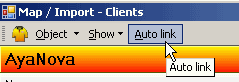
Easily link existing AyaNova and Peachtree / US Sage 50 records together so you can synchronize and bill out.
Linking is ideal if you have many pre-existing items in AyaNova as you can link them to QuickBooks records without losing their historical data as you would if you started with newly imported items.
And you can Auto-Link all items with matching names with one click!

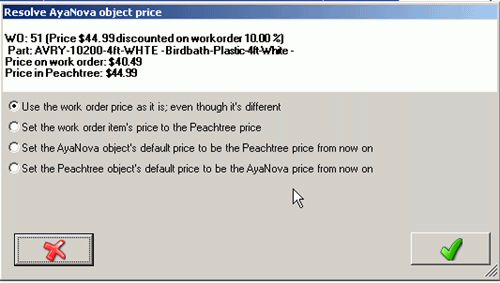
No problem! With PTI you can link and import on the fly, as well as bill out the part at a special price.
When PTI displays the list of workorders that are ready for invoicing, it will advise you if anything in the billable workorder does not have linked objects (i.e. the client is not linked between AyaNova and Peachtree, etc) or if a price in Sage 50 is different than that in AyaNova so that you can conveniently change or accept it before invoicing.
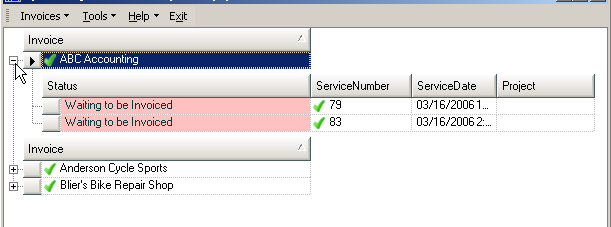
Quickly and easily invoice out AyaNova work order billable items in Peachtree /Sage 50 invoices
All billable items in an AyaNova work order can be exported into an invoice in Peachtree
This saves re-entering data manually because the data in the service workorder is directly converted to a Peachtree invoice without any retyping of information
And you can easily consolidate multiple AyaNova service workorders into one Peachtree invoice
Set descriptive text to display on the Peachtree invoice so that your client sees details about the service performed
 AyaNova