You can update linked parts Name, Number, Retail and Cost via the AyaNova Part's menu grid or the specific AyaNova Part's entry screen.
You can update the AyaNova part with the edited QuickBooks part information or the other way, you can update the QuickBooks part with the edited AyaNova part information
NOTE: The part's On Hand nor its Restock amount are not updated.
For example is that you might edit in QuickBooks the QuickBooks part, and want that information updated to the linked AyaNova part without having to manually edit the AyaNova part.
1. To do this, select the part record you want updated from the Part's grid or open its entry screen. Note how you can tell it is selected in the Part's grid as in addition to the row being highlighted, also all fields are underlined.

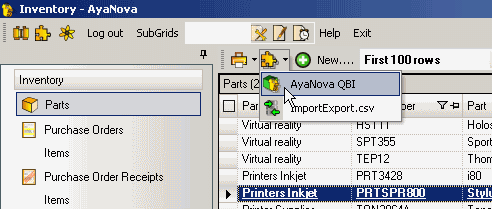
2. Select the PlugIns menu option in the Parts grid menu and select AyaNova QBI -> Refresh AyaNova record
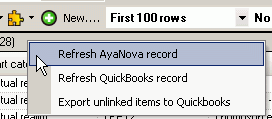
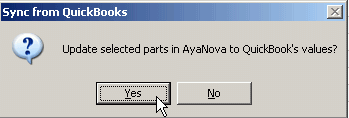
3. Click on Yes to update the AyaNova's part information to that of the QuickBooks part.
4. It will show Done when completed
NOTE: QBI only obtains QuickBooks and AyaNova information when QBI first loads
If you enter new information into either QuickBooks or AyaNova with QBI running, you need to refresh the connections in 4 possible ways:
1. Select to Refresh QuickBooks connection from the main menu
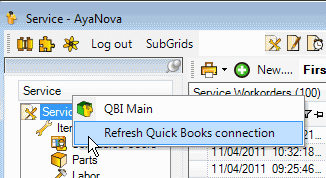
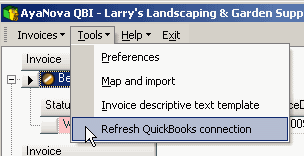
2. From within QBI, select Refresh QuickBooks connection
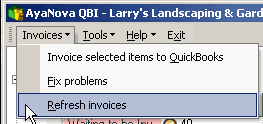
3. If not seeing AyaNova service workorders that are ready for invoicing, from QBI's Invoices menu select Refresh invoices
4. Exit out of QBI, exit out of AyaNova. Log back into AyaNova and start QBI again.