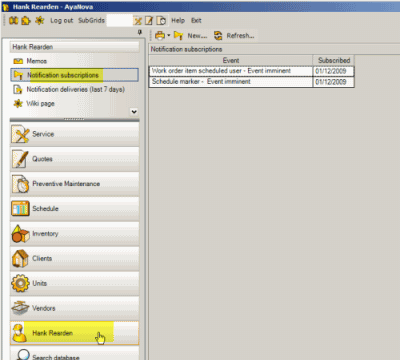
Notifications Subscriptions are where you (your AyaNova username) can subscribe to be notified either in advance of or when a certain event occurs in AyaNova.
Select the  New... menu option to open the Event Selection screen where you would select the event you wish to be notified about.
See also:
Requirements for Notification Subscriptions
How to subscribe to a Notification
Notification Subscriptions available to subscribe to
Refer to Client Notifications for automatic client notifications of events related to service workorders
Note the following:
•You can subscribe to every event in the list or only specific events.
•Each AyaNova user themselves has to subscribe to each event individually.
•Notification can only result if that user (username) subscribes to an event.
•Notifications can only occur for records that have been created after you subscribe. For example, if you have subscribed to be notified about parts received for a workorder where you are scheduled, you would not be notified if the parts were requested before you subscribed.
•Notification can be via external email, via external SMS text paging, via internal AyaNova popup, and via internal AyaNova memo.
•For notification generator processing to occur in a stand-alone default installation of AyaNova, the user logged in can not be logged in using the AyaNova Administrator username and password; and the AyaNova program must be run as a new session (i.e. if you Log Out and log back in, the internal stand-alone Generator will not run. You must have Exit out of AyaNova and run AyaNova)
•NOTE: Even if the AyaNova Administrator subscribes to a delivery method of Popup, the AyaNova Administrator does not receive popups. The AyaNova Administrator user is meant to be used only for administrative functions - not ongoing day to day use.
•For notifications to occur in an AyaNova network configuration, the Event Generator must be installed and successfully running, and Global Settings regarding notifications must be set and saved.
See also:
Notification - Global Settings
Notification Deliveries (last 7 days) grid
Security Group internal object: Object.Notification |
Forbidden: User of that security group can not access the Notifications grid in their user navigation pane Read/Write/Delete: User can access the Notifications grid in their user navigation pane, view, create and edit and delete |