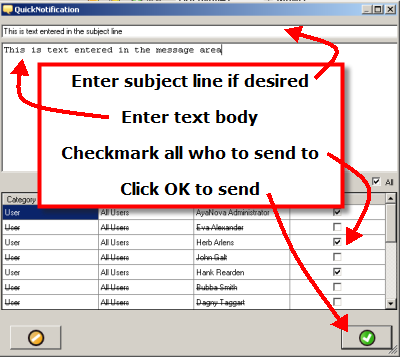
The Quick Notification plug-in allows any AyaNova user to send a quick message to a subscribed AyaNova user.
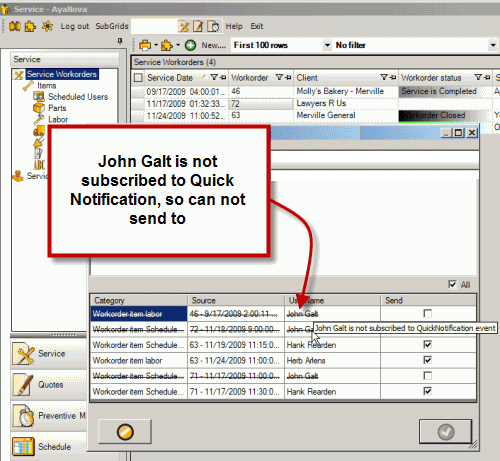
•A list of which AyaNova users to send to depends on from which menu bar you select the Quick Notification plug-in.
•The quick message could arrive via AyaNova memo, AyaNova popup, external email or external SMS as works in conjunction with the AyaNova Notification Subscriptions feature.
Requirements for Quick Notification:
1.AyaNova must be licensed for the Quick Notification optional add-on
2.The Quick Notification plug-in is installed on this computer
3.Notifications must be set in Global Settings
4.The Generator must be running
1. AyaNova must be licensed for the Quick Notification optional add-on
•Your 45 day trial includes the Quick Notification license so you can fully try it out.
•Purchase the Quick Notification optional add-on plug in subscription license from the Purchase web page
•Or if your company is already licensed for AyaNova and would like to trial, contact us with the information from your Help -> About AyaNova and request a temporary key to trial.
2. The Quick Notification plug-in is installed on this computer
•Download the Quick Notification setup file from the Download web page
•Install by running the setup file - the Quick Notification plug-in files will be installed to this computer in the C:\Program Files (x86)\Ground Zero Tech-Works Inc\AyaNova\plugins\QuickNotification folder
•A Quick Notification database license is required
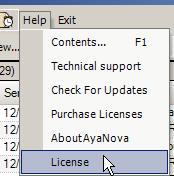
•You can check to see if licensed by logging in as the AyaNova Administrator, select Help -> License
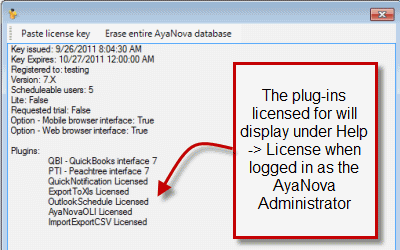
•If you would like to test this plug-in, include in your email request to support@ayanova.com the text from your Help -> License
•Only one license is needed for your database
3. Notifications must be set in Global Settings
•Global Settings is accessed via the Administration navigation pane
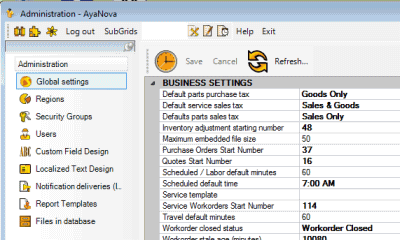
•Use Notification must be set to True
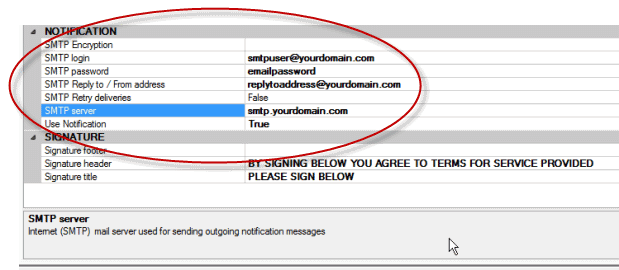
•If any users subscribed to notifications have a delivery method of external Email or SMS, than the SMTP settings must be set.
•Refer to the Global Settings section of this Help file for details
4. The Generator must be running
•The Generator checks every five minutes to see if there is any notifications to be sent
•If stand-alone configuration of AyaNova, do note that the Generator does not run when logged in as the AyaNova Administrator
•Refer to the Generator section of this Help file for details
5. The user you are sending the Quick Notification to must be subscribed to Quick Notification subscription
•Refer to the step by step How to subscribe to a Notification for example
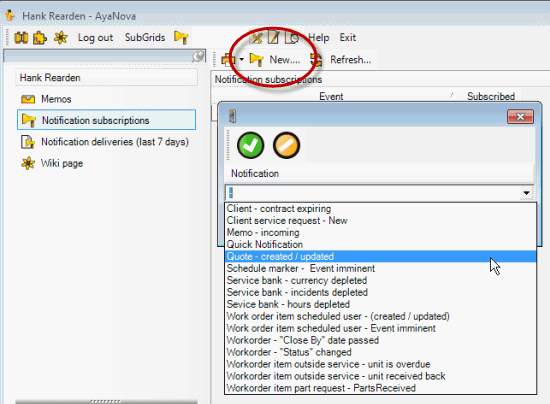
If the user is not subscribed, then their name will show in the selection list for sending a Quick Notification will a line through it (as not available to send a Quick Notification to).